The wallet
Post-quantum money, behind a double-click.
One Windows executable, one Android app — the same journey, the same files. Create a wallet, tap the faucet, pay anyone — and hide money in a shielded pool, pay someone privately with a memo, or prove exactly one payment to exactly one person. Every click is a real hash-signed consensus transaction on testnet-1; every shielded step is a real STARK verified by every validator. Keys never leave your machine — or your phone.
Android v0.3.0 · 13.9 MB · sideload (Android 8.0+, 64-bit) · sha256 59f518ce514c298a7d539e0fae9387e4d395e001038d2f61df872cd8dbc41c90 · signed by the HashKinetics release key, certificate SHA-256 b296799ed6bea902f6a30ed3bcd497adce7374eb15ec9f8d587ef0575902d6d3 (apksigner verify --print-certs) · the same journey and the same files as the desktop wallet, with a receive QR · P6.2: asset chips + Get test USDC (§9) · upgrades v0.2.0 in place (same key) · release ↗
Windows v0.15.0 · sha256 6120771fbedb03100a300ade9993636e2689565a285fbf9abb673471d0e94f87 · new: assets — the ASSET dropdown next to the balance (HKN, USDC.sep, every registered asset), Get test USDC, and send / shield / pay / unshield acting in the chosen asset's own pool — guide §9; under the hood the desktop wallet now runs the same hk-wallet-core library as the Android app. v0.14.1: incremental scan — guide §8; v0.14.0: Protect with a passphrase (Argon2id 512 MiB → XChaCha20-Poly1305) — guide §5a
Before you start
Verify the download. That is the only trust step.
0Download, verify, run
# PowerShell — the hash must match the one published on the release and above
Get-FileHash .\HashKinetics-Wallet.exe
# → 6120771FBEDB03100A300ADE9993636E2689565A285FBF9ABB673471D0E94F87   (v0.15.0)
Windows SmartScreen will warn on first run (the build is unsigned): More info → Run anyway. Don't trust the popup either way — trust the hash. No installer, no registry, no admin rights. The wallet talks to rpc.hashkinetics.org (the chain), faucet.hashkinetics.org (test funds) and prover.hashkinetics.org (proofs).
# Android — same rule, two checks: the file hash and the signer's certificate
sha256sum HashKinetics-Wallet-android-0.3.0.apk
# → 59f518ce514c298a7d539e0fae9387e4d395e001038d2f61df872cd8dbc41c90
apksigner verify --print-certs HashKinetics-Wallet-android-0.3.0.apk
# → Signer #1 certificate SHA-256 digest: b296799ed6bea902f6a30ed3bcd497adce7374eb15ec9f8d587ef0575902d6d3
The APK is signed with the HashKinetics release key (certificate valid to 2054), so every later version installs over this one in place; a build whose signer digest differs is not ours. Sideload: Android 8.0 or newer on a 64-bit phone — download, allow "install unknown apps" for your browser or file manager, install. If a -debug build from a workflow artifact is on the phone, uninstall it first (different key; that deletes its testnet wallet).
Android
The same wallet in your pocket.
The Android app is the desktop wallet's core — the same Rust library, called through UniFFI — behind four screens: Wallet (balance, fee, height · faucet · receive with a QR of your account id · send), Shielded (stealth address with a QR · scan · notes · shield / unshield / pay with a memo · disclose one payment), Backup (the seed, once · passphrase · device lock) and Activity (every call's receipt, with explorer links). Steps 1–10 below apply unchanged; only the buttons sit in different places.
Passphrase, phone-sized. Protect seals account.json and shield.json with Argon2id at 256 MiB (the desktop uses 512 MiB; the parameters ride in the envelope, so either side opens the other's files). Device lock (off by default): a 32-byte key file wrapped by the Android Keystore becomes a second factor — the sealed files then need this phone, or the exported key file, as well as the passphrase. Leave it off if you want a phone backup to restore on a PC with the passphrase alone.
Files sit in the app's private storage (files/wallet/ — account.json · shield.json · disclosure-*.json), byte-compatible with the desktop; cloud backup is disabled for them (allowBackup=false) — write the seed down, export shield.json yourself. Not yet: camera QR scanning and biometric key release (v0.3), in-app proving (the public prover proves for you — a shielded operation takes a minute or two), iOS, a Play Store listing (after the first month). Unaudited testnet software.
Transparent side
Create, get funded, send.
1Create my wallet (or restore from a seed)
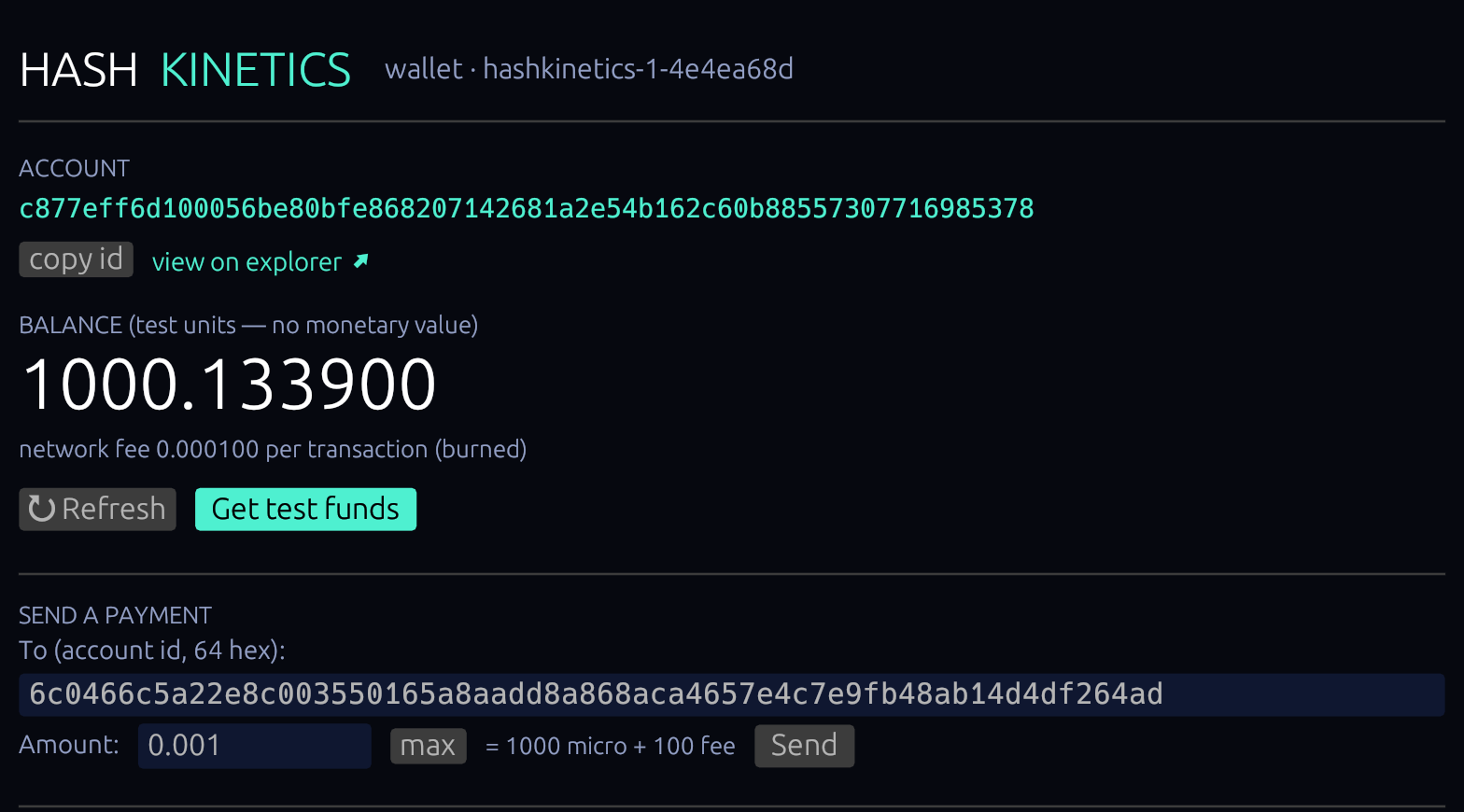
Create my wallet generates a fresh seed on your machine and derives your account id. Restore from a seed (the collapsible below it) takes a 64-hex seed from a backup; the wallet refuses to overwrite an existing wallet file. The header shows which network you are on: wallet · hashkinetics-1-4e4ea68d.
2The main screen
ACCOUNT — your 64-hex id, copy id, view on explorer. BALANCE — with the chain's fee policy on the line below. ↻ Refresh / Get test funds. SEND A PAYMENT. The SHIELDED panel (collapsed until you need it), Backup & advanced, and the ACTIVITY log where every action gets its receipt and a link into the explorer.
3Get test funds
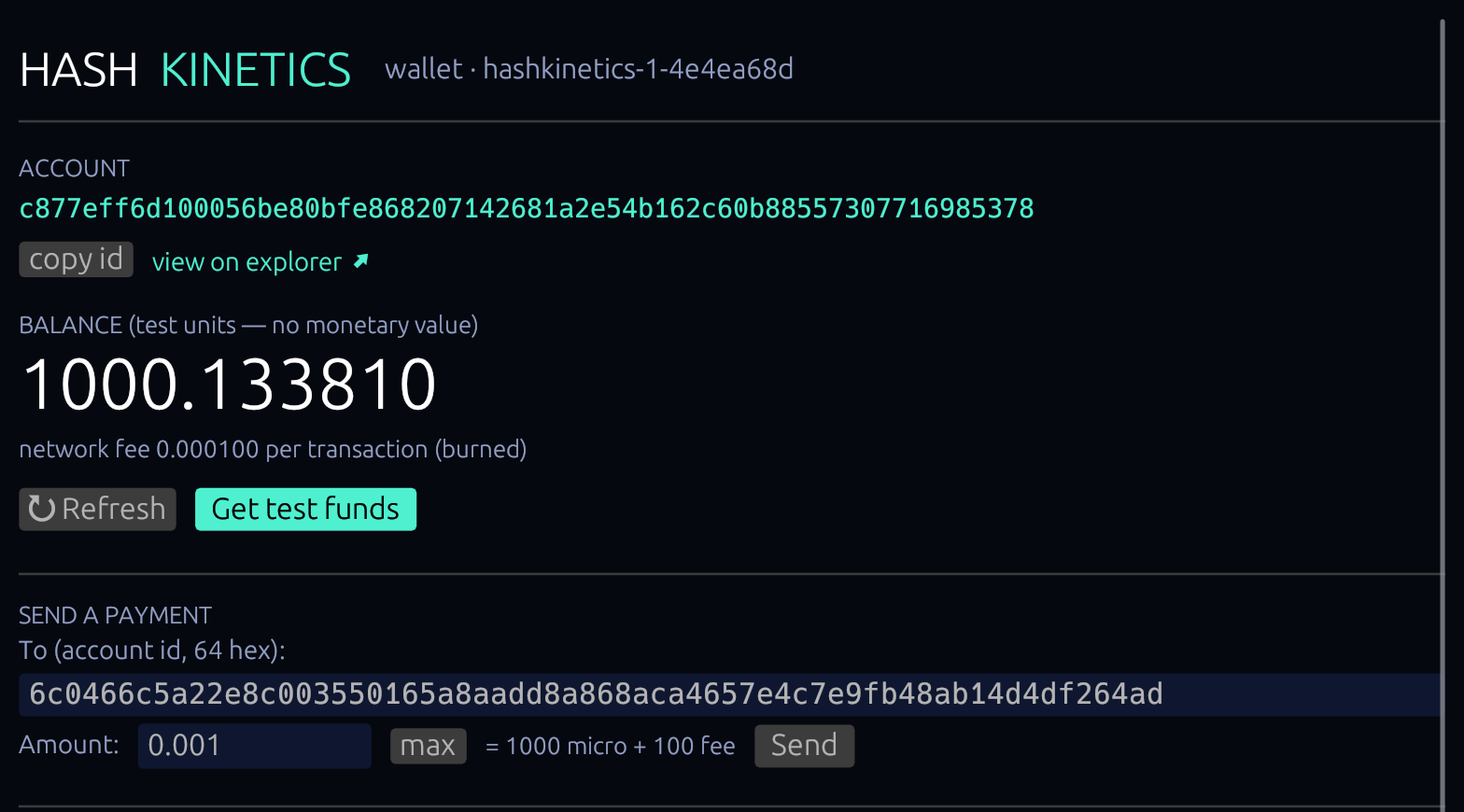
Get test funds asks the faucet to create your account on-chain (your first transaction is paid by the faucet's treasury) and drip 0.100000. The balance updates within a few seconds. One drip per address per 24 hours — a second click shows the cooldown, which is a limit, not an error.

4Send a transparent payment
Paste the recipient's account id, type an amount — the line below shows exactly what leaves your account: = 5000 micro + 100 fee. max fills in balance − fee; anything above it greys out Send with exceeds balance + fee. Then Send: the log shows submitted <txid> and, a few seconds later, ok: 1 event(s) with a view ↗ link.


5Back up — both files
Backup & advanced shows where your keys live: %USERPROFILE%\.hashkinetics\account.json (the transparent seed + ratchet counter; copy seed puts the 64-hex seed on the clipboard — store it offline) and shield.json (created on your first shield; the shielded master plus two counters that must never run backwards). Back up both, and never restore an older shield.json over a newer one — a reused one-time key would leak spend authority. That is why restoring the shielded side from the seed alone is deliberately not offered.

Shielded side
Hide it, show it, pay privately, prove one payment.
Money in the pool is a set of hash-committed notes; who owns which note and how much it holds is invisible to the chain and to the explorer. Spending a note produces a STARK proof — made for you by the public prover, verified by every validator — and a nullifier that prevents double-spending without revealing which note was spent. The explorer shows the pool's total and the nullifier count, nothing else. There is no master view key anywhere in the design.
6Shield (hide): transparent → pool
Open the SHIELDED panel, type an amount next to Shield → pool, click. The wallet reserves a one-time spend key, asks the prover for a mint proof, submits, logs the receipt. Proofs take a while — typically 3–15 s, longer under load; the spinner runs, the window stays responsive. Your transparent balance drops by amount + fee; the panel title reads SHIELDED · 0.050000 in 1 note(s).

7Scan the pool · your stealth address
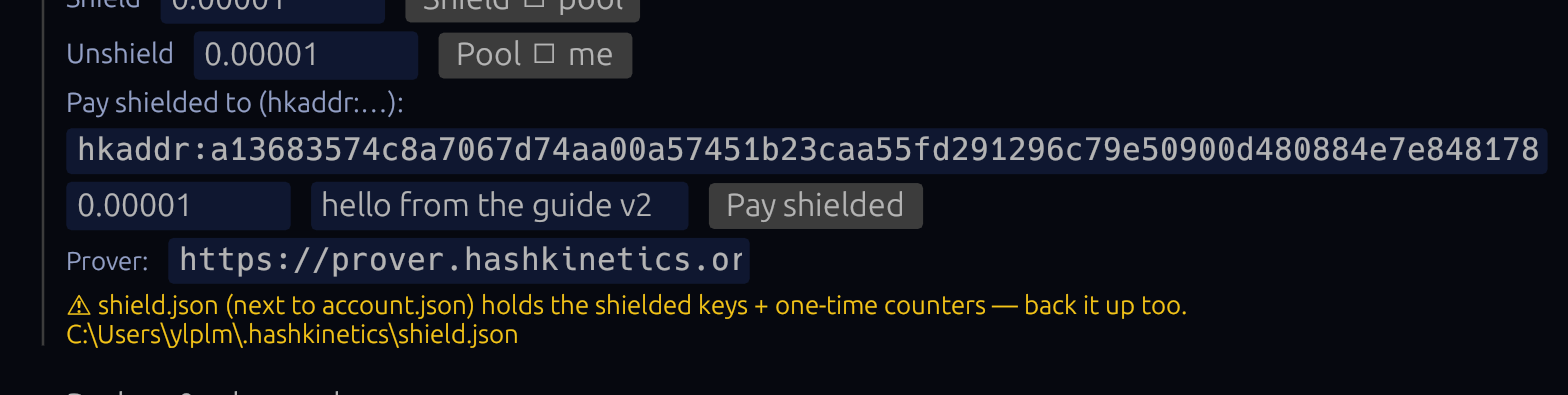
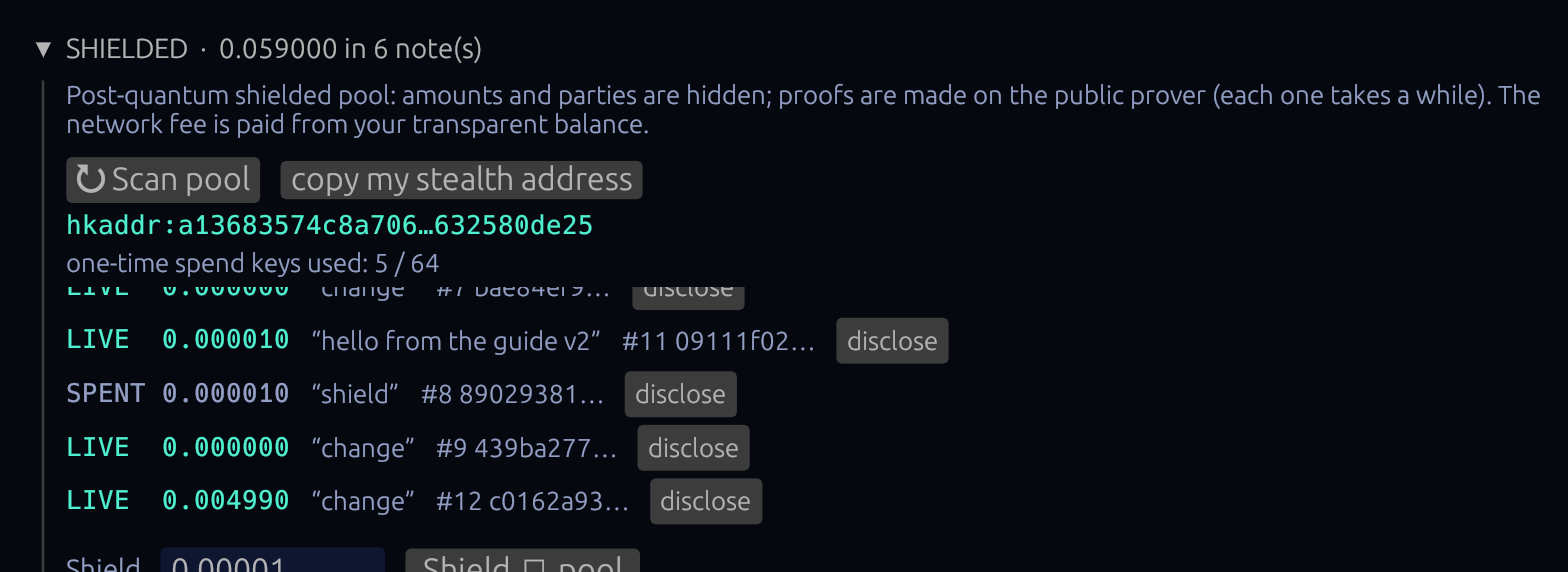
↻ Scan pool downloads the pool's note index and trial-decrypts every note with your key — only yours open. Each note shows LIVE or SPENT, its value, the memo a payer attached, and its commitment. copy my stealth address copies your hkaddr:… — give it to anyone who should pay you privately; nobody can link it to your account id.
8Unshield (show): pool → me
Type an amount next to Pool → me. The wallet picks a note that covers it, proves the spend, and the amount lands in your transparent balance; any remainder comes back to you as a fresh hidden note (change).


9Pay shielded — a private payment with a memo
Paste the recipient's hkaddr:…, an amount and an optional memo, click Pay shielded. The chain sees a nullifier and two new commitments — not who paid whom, not how much. The recipient finds the note on their next scan, memo intact, and can spend it immediately.

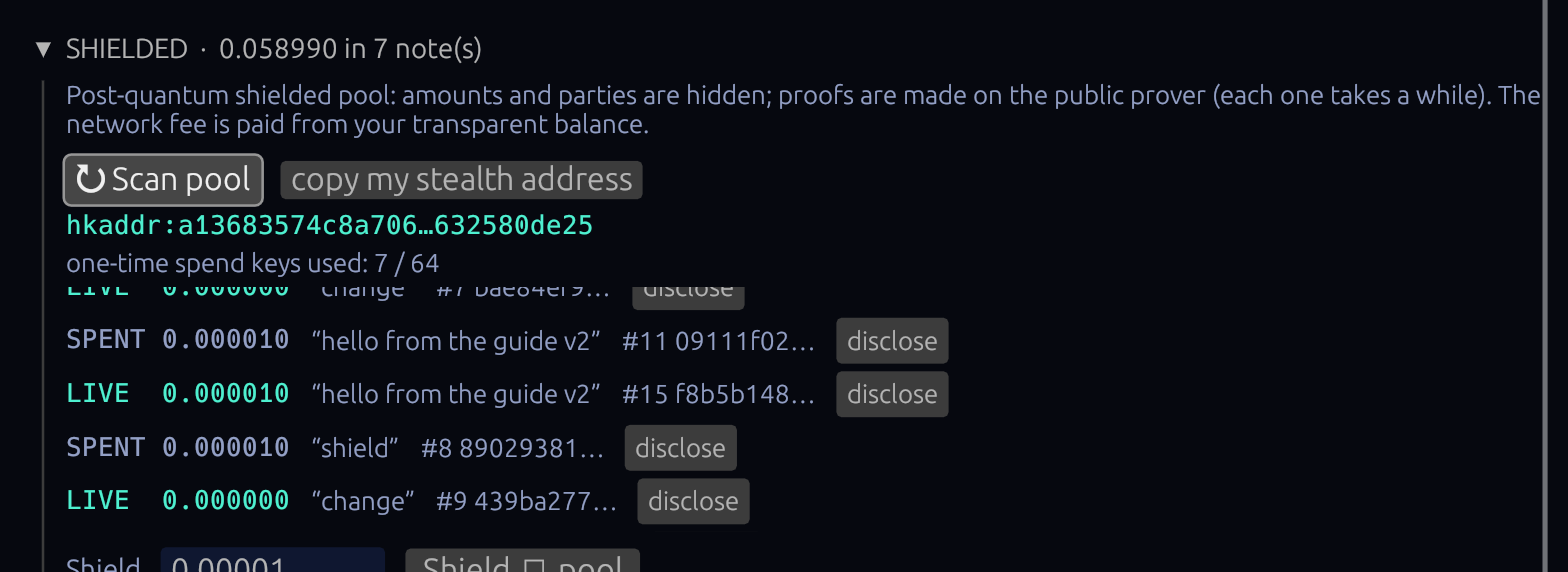
10Disclose one payment to one person
Every note has a disclose button. It writes disclosure-<id>.json next to your keys: that note's value, memo and anchor, bound to that single commitment. The other party verifies it fully offline — hk-node verify-disclosure disclosure-<id>.json — and the same file opens zero other notes in the pool. That is the point.

Fees, refusals, files
The fee is always paid from the transparent side, even for shielded operations — keep at least 0.001000 visible if you plan to move hidden money. max = balance − fee. If the chain refuses anyway (someone else spent first, a stale nonce), the log explains the receipt in plain words and your funds are untouched — a refused transaction never moves money, fee included.
| Files | %USERPROFILE%\.hashkinetics\ — account.json · shield.json · disclosure-*.json |
| Files (Android) | the app's private storage, files/wallet/ — the same three files; files/keyfile.bin when the device lock is on |
| connecting… | no RPC reply — check your internet, ↻ Refresh |
| long spinner | the prover is proving (up to 15 min under load); the receipt lands in ACTIVITY |
| capacity error | 64 one-time spend keys used on this shielded master — move shield.json aside (keep it!) and shield again; old notes stay spendable from the old file |
| Prover field | defaults to prover.hashkinetics.org; point it at your own hk-prove if you run one |
Pick the asset, press the same buttons
Since P6 every registered asset has its own shielded pool on testnet-1; since P6.2 the wallets know it. Next to the balance there is an ASSET dropdown (Android: chips): HKN · test units, USDC.sep (bridged Sepolia USDC), and anything else the chain registers. Everything below the dropdown follows it — the balance, Send, and the whole SHIELDED panel: Shield → pool, Pay shielded, Pool → me, ↻ Scan — acting in that asset's pool. The stealth address is the same for every asset (it belongs to your shield master); the one-time spend keys are shared too.
- Pick USDC.sep. If the dropdown only shows HKN, press ↻ Refresh — it reads the registry from the chain.
- Press Get test USDC (5 USDC.sep from the faucet). It is bridged Sepolia USDC the founders locked in the vault — never minted from nothing, so the bridge page's invariant stays true. Not on-chain yet? The wallet takes the test-units drip first, then the USDC.
- Send some to a friend's account id. The network fee is paid from your HKN balance — the line under the balance says so; keep a little HKN.
- Open SHIELDED · USDC.sep, Shield → pool 1 USDC.sep. The header reads SHIELDED · USDC.sep · 1.000000 in 1 note(s); switch to HKN and it shows HKN's notes only.
- Pay shielded 0.5 to an hkaddr: address with a memo, then Pool → me the rest — one nullifier, two commitments, no amounts, no parties, in the USDC.sep pool.
Same files as before: shield.json grows a pools map on the first asset scan; the CLI (hk-node wallet … --asset) reads the same pool. Your first shielded USDC.sep is a receipt we would like to see in #testnet — txids only, nothing personal.
It is a real client of a real post-quantum chain: every transaction you make is a hash-signed consensus transaction, every shielded step is a real STARK verified by every validator, and the receipts on this page are searchable in the explorer. It is not audited; the Windows build is not code-signed (the APK is signed with our release key — verify the digest), and it holds test units on testnet-1 — balances from the retired staging-1 network did not carry over (same seed, re-fund through the faucet). Keys sit in JSON on your disk or in the app's private storage — plain by default, sealed with a passphrase if you choose (v0.14.0 / Android v0.2.0). No master view key exists, ever.